Stop being the bottleneck.
Lift Off runs the office side of your remodeling company: leads, estimates, jobs, money and follow-ups. Six short scenes show how.
Started by a working contractor.
The screens show a sample remodeling company. Nothing here is real.
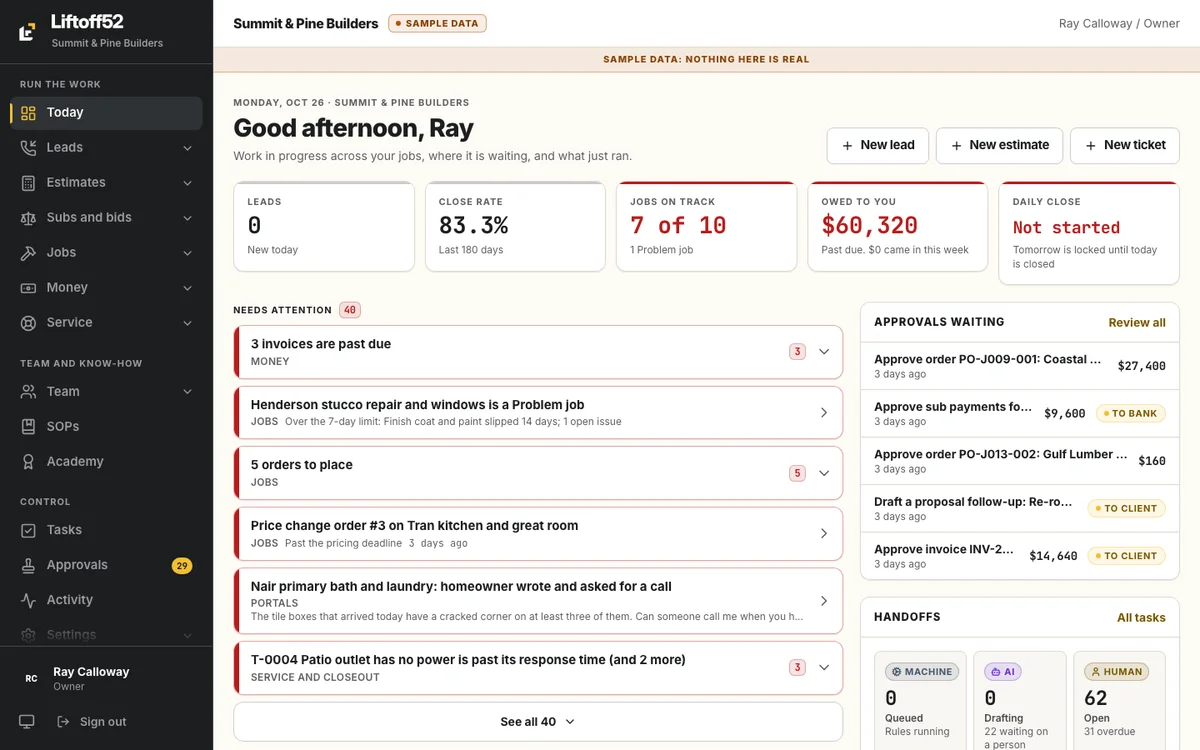
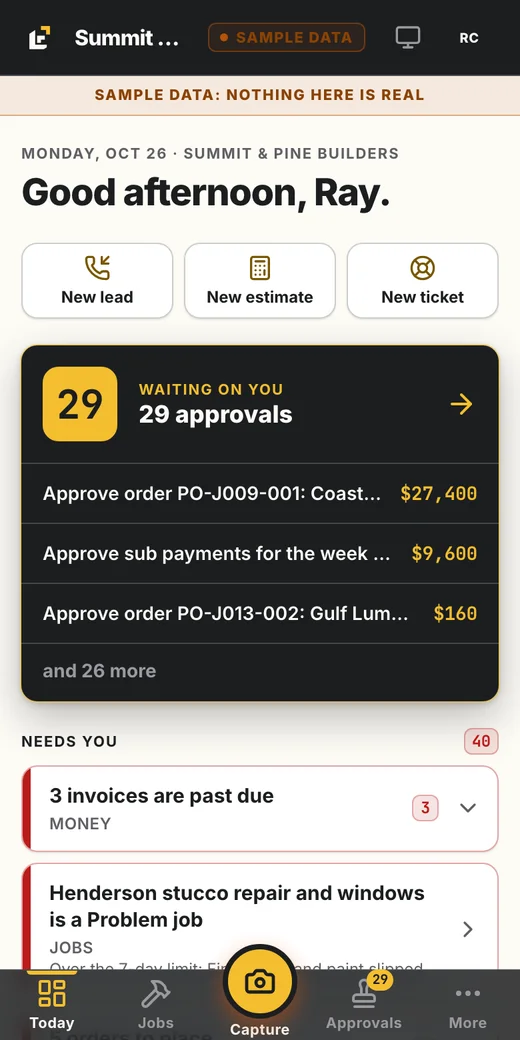
Everything waits on you.
You built the business, so you are the only one who knows what is supposed to happen next. That is why the same three things keep slipping.
Follow-ups slip
The lead nobody called back. The proposal that never got a second email.
Jobs slip
The photo nobody took. The inspection that got missed. The change order done on a handshake.
Money slips
The draw you forgot to bill. The sub you paid before the client paid you.
Each one lands back on your phone, usually at night.
The office you don't have to run.
Liftoff52 runs marketing, sales, production, money and closeout for your company. Everything except the building. Every step is one of three kinds of work.
- Rule
A rule does the routine
Timers, reminders, follow-ups, syncs. Same every time, no one has to remember.
- AI drafts
The AI drafts
It reads the intake, writes the scope, drafts the reply and the weekly homeowner update. It never sends on its own.
- You
People do the human work
The call, the site walk, the signature, the approval, the build.
- Nothing goes to a client, a sub or a bank until a person approves it.
- Every step is logged with who did it, when, and the proof.
- Every commitment has one owner and a date. A miss is flagged the same day. Nobody is exempt, the owner included.
Your system, in three layers.
Liftoff52 Standard
Ours. A neutral way of running a contracting company that works in any state. Starting defaults, never one company's numbers.
Your company
Yours. Your limits, days, wording and processes, set in Your system or brought in from the material you already have.
You, the owner
Your judgment, standards and voice, captured in a short interview and kept as a profile you approve. The AI drafts read it.
Your state is part of your setup. Florida has a complete state pack and Georgia an example pack. Every other state starts on the Standard plus an attorney checklist. Liftoff52 is not legal advice: every legal value is confirmed with your own attorney.
Bring your existing tools into discovery. We agree what stays, what connects, and what changes; your accounting remains your books.
A lead calls. Someone answers. It's booked.
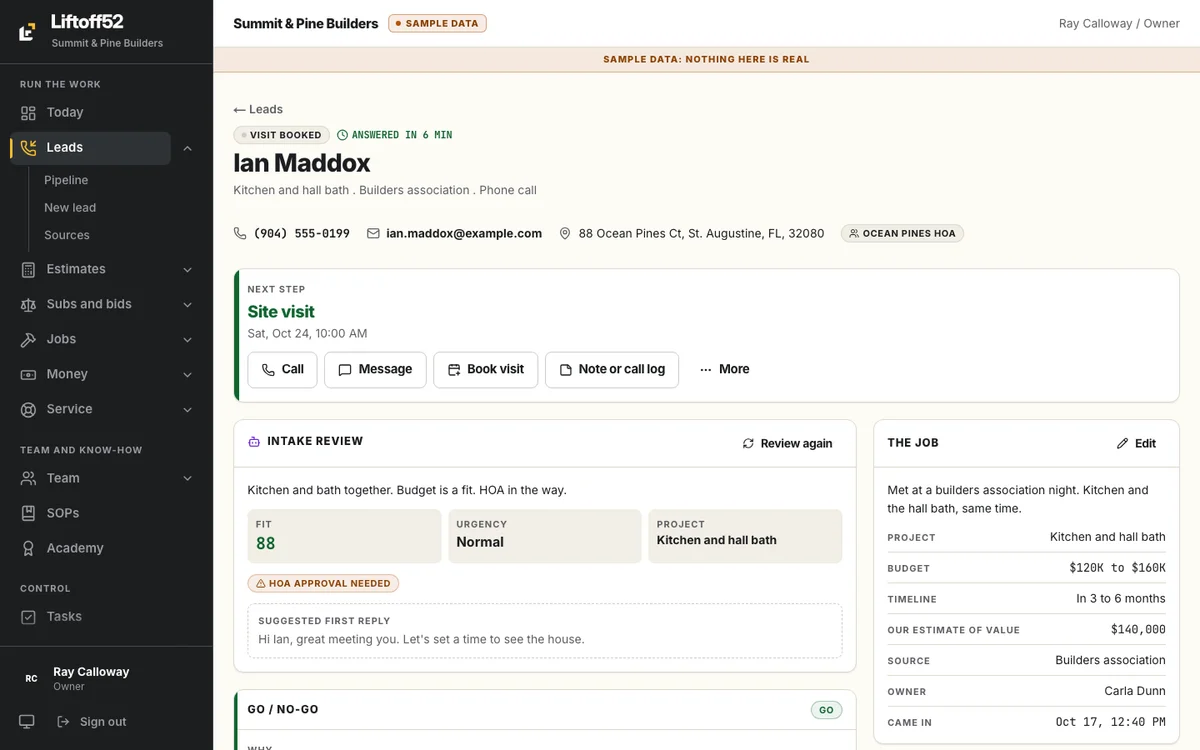
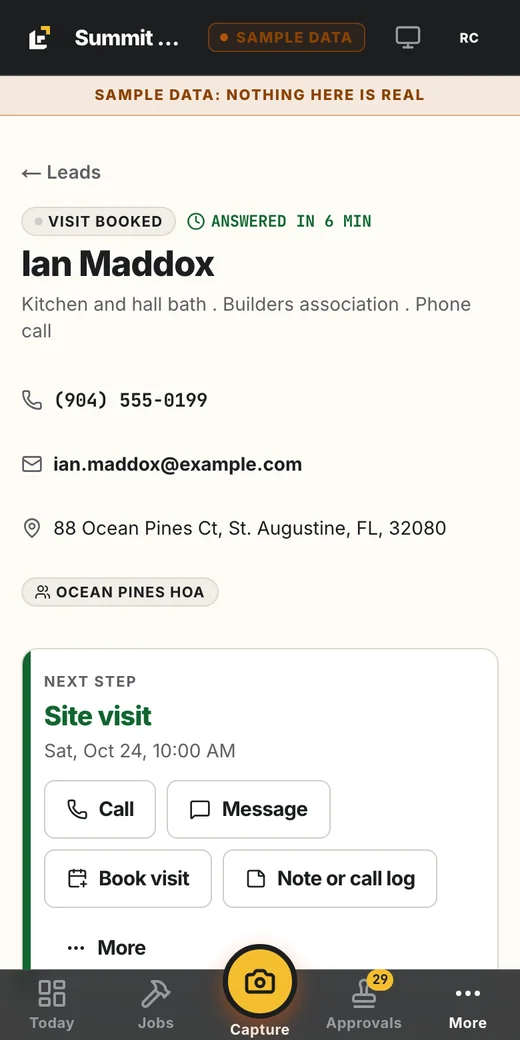
Every call, form and text lands as a lead with its source and a timer. A lead nobody has answered shows up in red on the owner's phone. The AI reads the intake and recommends go or no-go with its reasons. You make the call in one tap.
Look for
- Answered in 15 min, logged for you
- The AI intake review, with a fit score and the project type
- Book visit, one tap from the lead
Sample company. Nothing on this screen is real.
An estimate that protects your margin.
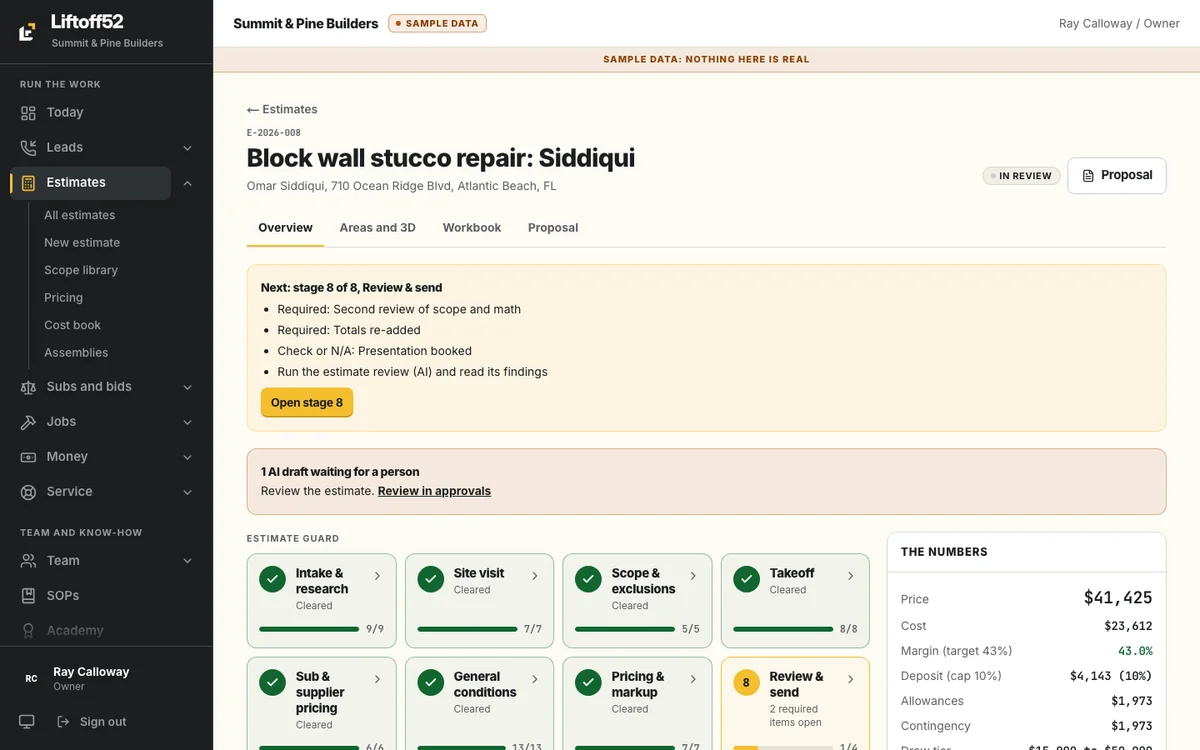
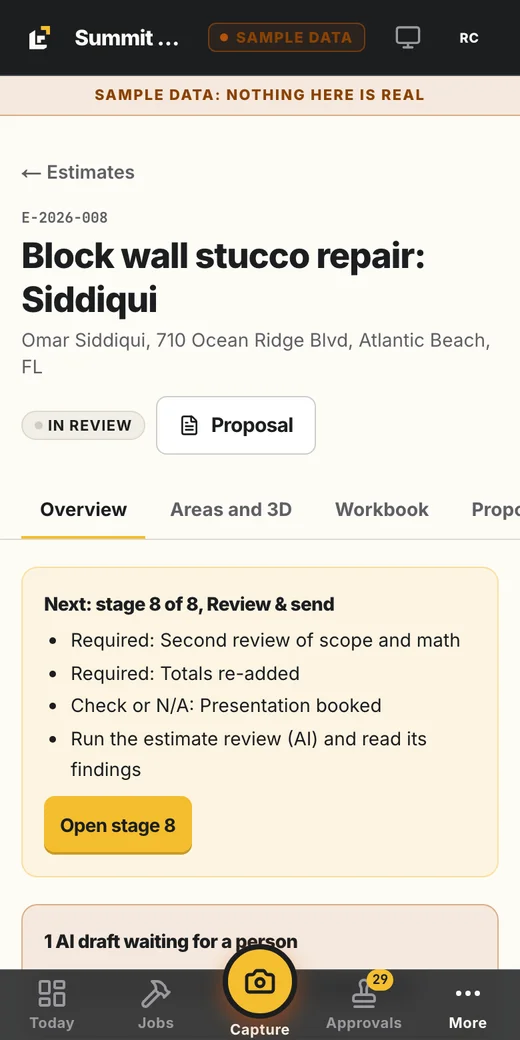
Eight stages, each locked until the one before it clears. The AI drafts the scope and the takeoff from your photos and notes. Your estimator checks every line. Before it goes out, the price is checked against your target margin and your deposit limit.
Look for
- Seven stages cleared, stage 8 still open
- Margin against target, shown beside the price
- Deposit against its limit
Sample company. Nothing on this screen is real.
A job that can't skip proof.
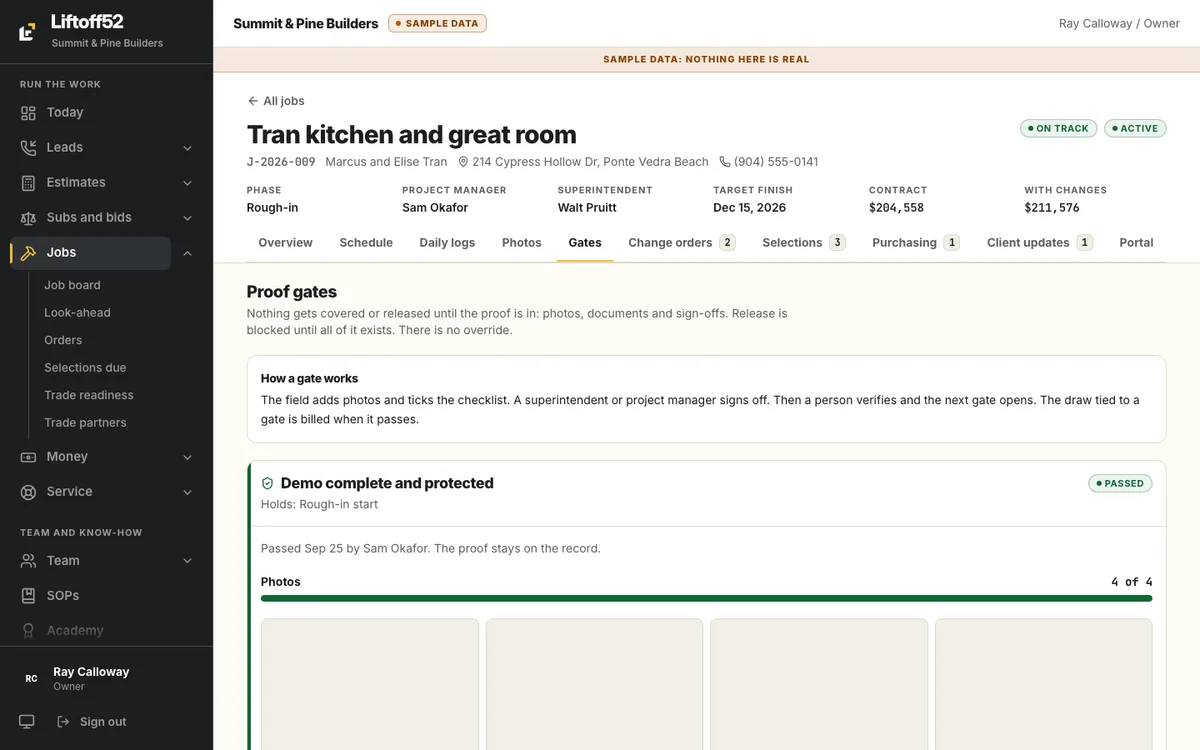
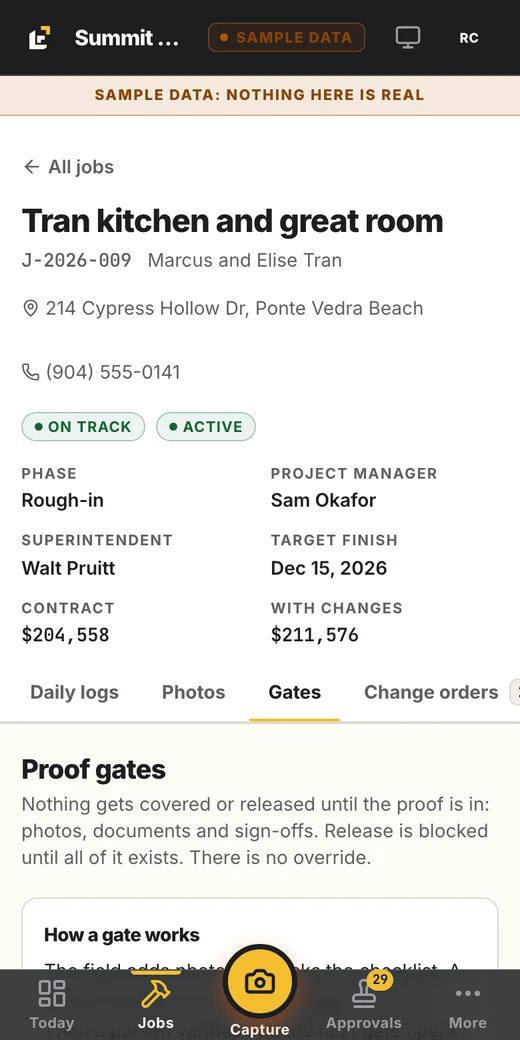
Nothing gets covered or released until the proof is in: photos, documents and sign-offs. The crew adds photos from the job, even with no signal. A superintendent or PM signs off, a person verifies, and the next gate opens. There is no override.
Look for
- No override, written on the screen
- Who passed the gate and when
- The draw tied to a gate bills when it passes
Sample company. Nothing on this screen is real.
Money moves on proven milestones.
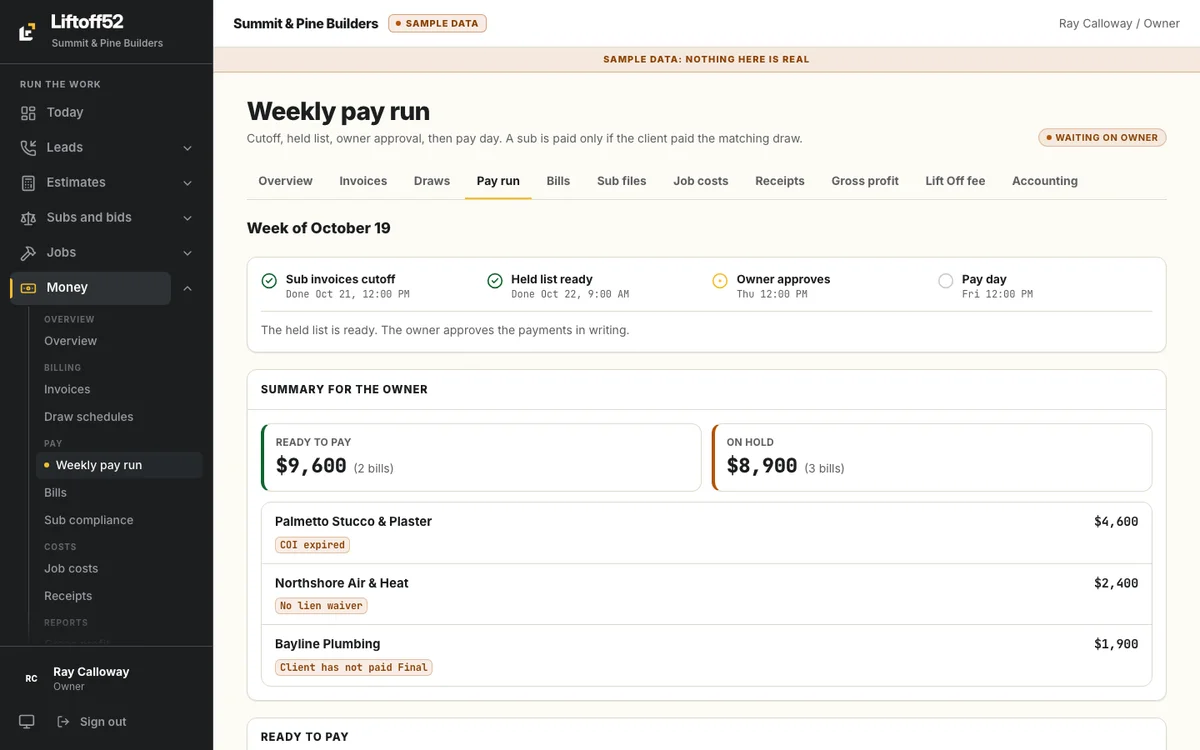
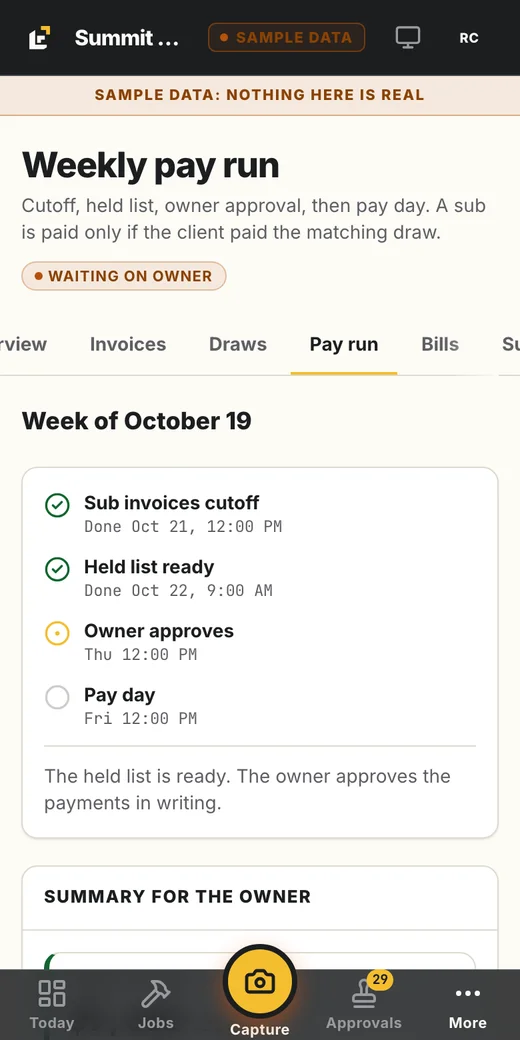
Draws bill when the gate passes. Subs are paid once a week, on a cycle you set (the starting default: Tuesday cutoff, Wednesday held list, Thursday you approve, Friday pay). A sub is paid only if the client paid the matching draw and their insurance, W-9 and lien waiver are current.
Look for
- Ready to pay, and on hold, side by side
- The reason each bill is held: expired COI, no lien waiver, client hasn't paid
- Owner approves, then pay day
Sample company. Nothing on this screen is real.
Your phone, every morning.
Open Today and you see what needs you, the approvals waiting, and the numbers that matter. Tap into any job, lead or estimate. The camera is always one tap away. The rest of the business already ran.
Look for
- Approvals waiting on you, with amounts
- Needs attention: the exceptions, not the whole business
- Quick buttons: new lead, new estimate, new ticket
Sample company. Nothing on this screen is real.
A homeowner who always knows what's happening.
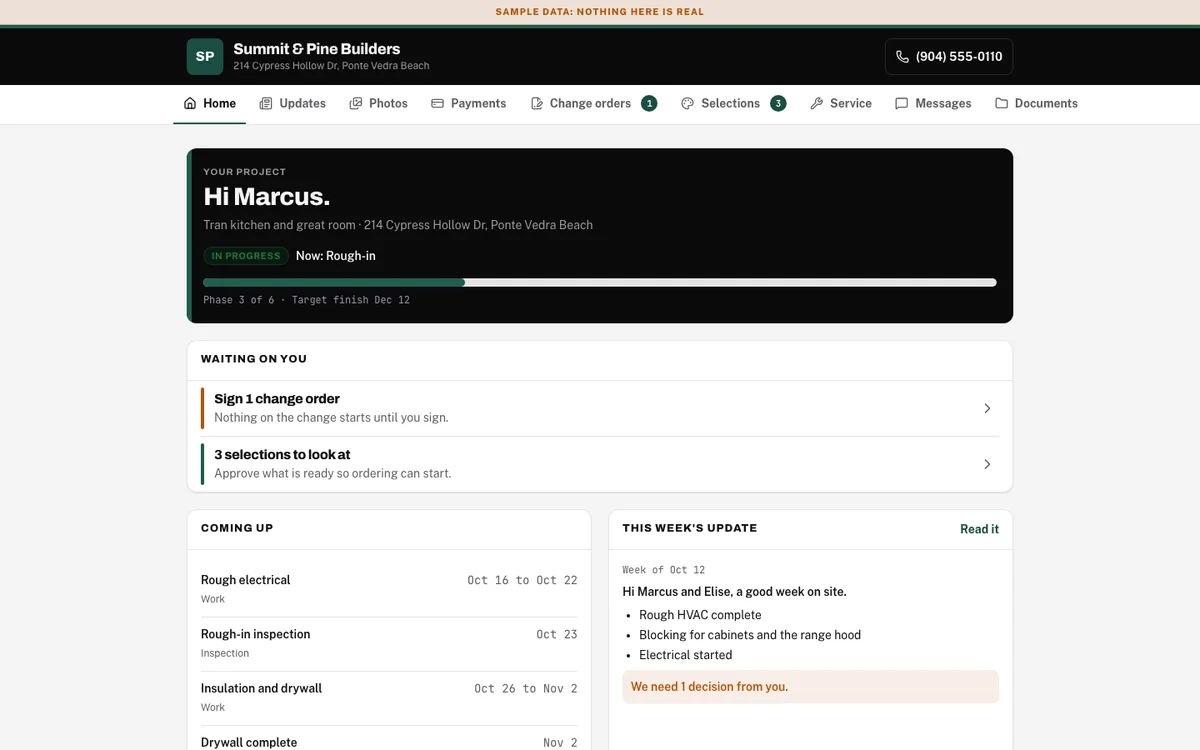
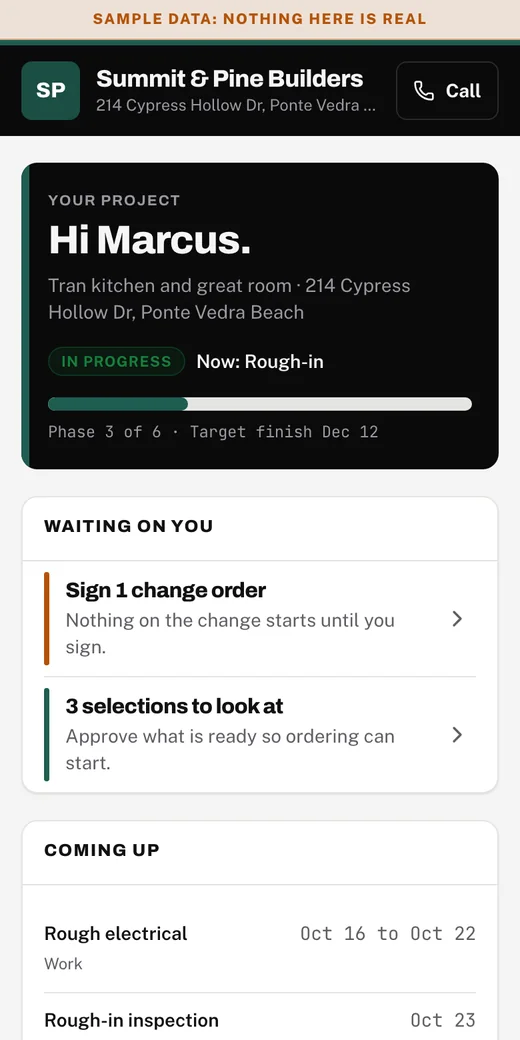
Your homeowner gets a link, not an app. They see where the job is, what is coming up, this week's update and what needs their signature. They stop calling you for status.
Look for
- Where the job is and the target finish
- What is waiting on them: a change order to sign, selections to approve
- This week's update, drafted by the AI and approved by a person
Sample company. Nothing on this screen is real.
What's done for you, and what you do.
We install and run the system. You keep doing the work only you can do.
Done for you
- Your company set up in the system: your state, roles, your rules and your own processes, brought in from the material you already have
- Your marketing running, with leads landing in your front door
- Phone numbers and texting set up and registered
- Your past estimates and customers imported, your accounting connected
- Your team invited, each with their own role
- 1-on-1 coaching with your Liftoff52 coach, from your real numbers
What you do
- Answer the leads that need a person
- Walk the job and take the photos
- Approve the price, the drafts and the pay run
- Sign what needs your name
- Build
How the install works.
Seven phases, in order, starting from the Liftoff52 Standard for your state. Each one has a checklist and a gate. The next phase opens when the gate passes, so nothing is half-built.
- 1DiscoveryWe learn how you actually run jobs and collect the material you already have.
- 2FoundationYour company, state, roles and rules, plus the owner interview.
- 3Front doorLeads, phone numbers, booking.
- 4SalesEstimates, proposals, follow-ups.
- 5ProductionJobs, schedule, proof gates.
- 6MoneyDraws, invoices, sub pay.
- 7CloseoutPunch lists, warranty, reviews.
Connections are agreed during discovery and activated as part of your rollout.
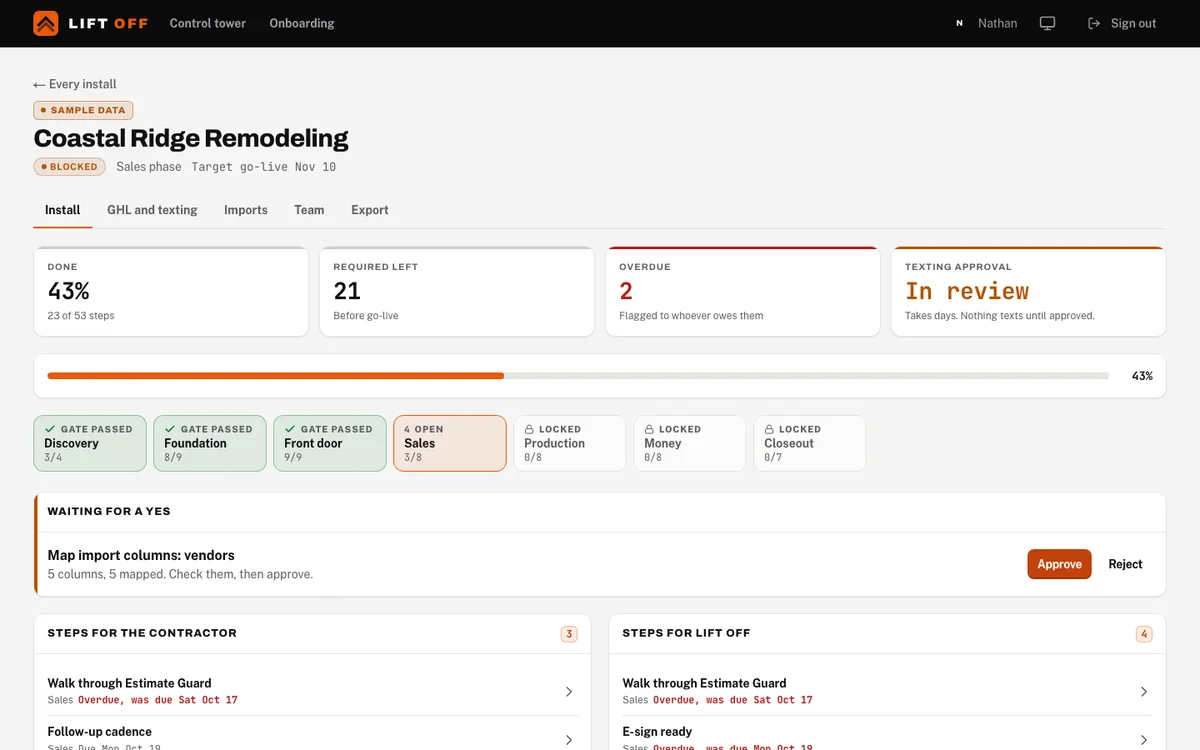
Installed around your company.
We start with how you work, agree the scope together, and build the operating process with your team.
Setup and ongoing terms are discussed before you commit.
What you get
- The Liftoff52 System configured for your company
- Your people, roles, rules, and decision limits
- An agreed plan for marketing and operational connections
- A walkthrough from a new lead to a completed job
Liftoff52 starts with a shared operating standard, then brings in your company’s own material and the processes you agree. State-specific legal requirements are reviewed with your own advisors.
Let's look at your company.
A call with the Liftoff52 team. You tell us how jobs run today. We show you where Liftoff52 fits, and whether it fits at all.
Bring the one thing that keeps landing on your phone at night.
Started by a working contractor.